
Ransomware Protection Strategies for Businesses to Safeguard Data

Ransomware can turn a normal working day into a business crisis in minutes. A user opens a convincing attachment, a remote access account gets abused, or an unpatched server is found online. Files become unreadable, systems lock, and a ransom demand appears. For many organisations, the technical problem is only the start. Operations stop, customers lose confidence, regulators may need to be informed, and recovery costs can grow quickly.
Ransomware is not only a concern for large enterprises. Small and medium-sized businesses often face the same attacks but with fewer internal resources to respond. Criminal groups know this. They look for weak passwords, exposed remote access tools, outdated software, poorly protected backups, and employees who have not been trained to spot common tricks.
The good news is that businesses can reduce the risk sharply with practical controls. Ransomware protection is not one product or one policy. It is a set of habits, tools, and response plans that make an attack harder to launch, easier to detect, and less damaging if it happens.
This guide explains what ransomware is, how attacks occur, what the impact can be, and which prevention strategies matter most.

What ransomware is and why it is so damaging
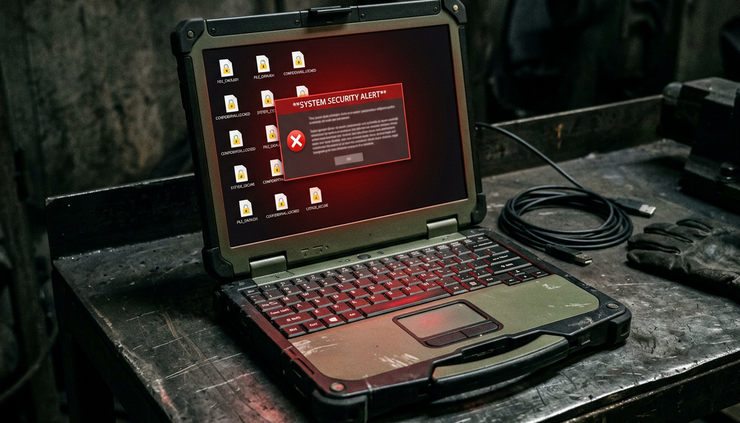
Ransomware is malicious software that blocks access to systems or encrypts data so the owner cannot use it. Attackers then demand payment, usually in cryptocurrency, in exchange for a decryption key or a promise not to release stolen information.
Modern ransomware attacks often involve more than file encryption. Many criminal groups now use a two-part approach:
They steal sensitive data before locking systems.
They threaten to publish or sell the data if the victim does not pay.
This is often called double extortion. In some cases, attackers also contact customers, suppliers, or staff to increase pressure. The aim is simple: make the business feel that paying is faster and less painful than recovering on its own.
How ransomware affects business continuity
The most obvious impact is downtime. If shared drives, finance systems, stock management tools, booking platforms, or email services stop working, staff may not be able to serve customers or process orders.
A small manufacturer, for example, may lose access to production schedules and machine control files. Even if the machines themselves remain safe, the business may not know what to produce, which materials to use, or which orders carry priority. Work slows while teams try to rebuild information from emails, paper notes, or supplier records.
A professional services firm may lose access to client documents and case files. Staff can still speak to clients, but they cannot easily check details, meet deadlines, or prove what work has already been completed.
Downtime does not need to last weeks to cause harm. Even one or two days can create missed revenue, staff overtime, fulfilment delays, and strained customer relationships.
Why paying the ransom is risky
Some businesses pay because they believe it is the only route back. That decision carries serious risk.
There is no guarantee that attackers will provide a working decryption key. Even when they do, recovery can be slow and incomplete. Decrypted files may be corrupted. Systems may still contain backdoors. Stolen data may still appear online later.
Payment can also make the organisation look like a profitable target. Criminal groups may share details with other attackers or return later using a different method.
The better strategy is to prepare so payment is not the only option. That means building reliable backups, limiting attacker access, keeping systems updated, and rehearsing incident response.
How ransomware attacks usually occur
Ransomware attacks may feel sudden, but attackers often spend time exploring a network before they trigger encryption. They look for valuable systems, administrator accounts, backup locations, and security tools they can disable.
Understanding the most common entry points helps businesses prioritise their defences.
Phishing emails and malicious attachments
Phishing remains one of the most common ways ransomware begins. An employee receives an email that looks familiar or urgent. It may appear to come from a supplier, courier, bank, cloud service, or even a senior colleague.
The message might ask the user to:
Open an attached invoice or delivery note
Enable macros in a document
Click a link to sign in to a fake portal
Download a file from a shared storage link
Approve a login attempt that they did not start
A realistic example would be a finance assistant receiving an email near month-end that appears to come from a known supplier. The attachment is named like an overdue invoice. When opened, it runs malicious code or leads the user to a fake sign-in page. Once credentials are stolen, attackers use them to access email, cloud storage, or remote services.
Good email filtering helps, but it will not catch every message. Staff training and clear reporting routes are essential.
Weak or stolen passwords
Passwords still protect many key business systems. Attackers know that some users reuse passwords across personal and work accounts. If a password appears in a previous data breach, criminals may test it against email, VPN, remote desktop, or cloud applications.
Weak passwords create the same problem. Simple patterns, company names, seasons, and predictable numbers are easy to guess or automate.
For example, an attacker may find a remote login page exposed to the internet. They try lists of common usernames and passwords. If they gain access to one account without multi-factor authentication, they can begin exploring the network.
Strong passwords help, but multi-factor authentication is now a core control. It gives businesses an extra barrier even if a password is stolen.
Exposed remote access tools
Remote access tools make support and flexible working easier. They also create risk if they are not secured. Attackers often scan the internet for exposed services such as Remote Desktop Protocol, VPN gateways, file transfer systems, and remote management tools.
A poorly protected remote access account can offer a direct route into the business. Once inside, attackers may move from one system to another until they find valuable data and administrator rights.
Businesses should review which remote access services are exposed, who can use them, and whether they require multi-factor authentication. Access should be limited to those who genuinely need it.
Unpatched software and known vulnerabilities
Criminals often exploit known software flaws. Once a vendor releases a security update, attackers may reverse-engineer the fix or scan for systems that have not been patched.
This creates a race. Businesses that delay updates give attackers more time to use publicly known weaknesses.
Common targets include:
Operating systems
VPN devices
Firewalls
Email servers
Web applications
File transfer tools
Remote monitoring software
Content management systems
A patching process does not need to be complicated, but it must be consistent. Critical security updates should receive priority, especially for systems exposed to the internet.
The business impact goes beyond encrypted files
Ransomware is often described as a technical attack, but its impact reaches finance, operations, legal duties, reputation, and staff wellbeing. Leaders need to understand the full risk so they can fund the right controls before an incident.
Operational disruption
When key systems stop working, the business may need to switch to manual work. That sounds simple until teams realise how much information lives in shared drives, databases, cloud tools, and specialist applications.
A retailer may struggle to check orders, refund customers, or manage stock. A healthcare provider may need to reschedule appointments if patient records or booking systems are unavailable. A logistics company may lose visibility of routes and delivery status.
Even if customer-facing systems remain online, internal disruption can still interrupt service. Staff may not know which systems they can trust. IT teams may need to shut down parts of the network to contain the threat, which can extend downtime but reduce further damage.
Financial cost
The cost of ransomware can include far more than any ransom demand. Businesses may face:
Lost revenue during downtime
Emergency IT support
Forensic investigation
Legal advice
Notification costs
System rebuilds
New hardware or software
Staff overtime
Customer compensation
Higher insurance premiums
Some organisations also need to prove what happened to regulators, insurers, clients, or partners. That investigation can take time, especially if logs were missing or systems were overwritten during recovery.
Data protection and confidentiality risk
If attackers steal personal data, financial records, intellectual property, contracts, or client files, the business may face confidentiality and data protection issues. In the UK, organisations may need to assess whether an incident must be reported to the Information Commissioner’s Office and whether affected individuals should be informed.
This is why ransomware planning should involve more than IT. Legal, senior leadership, communications, HR, and operations may all have roles during a serious incident.
Reputational damage
Trust can take years to build and a short time to weaken. Customers expect businesses to protect their data and continue delivering services. A poor response can cause more damage than the initial attack.
Clear communication matters. Silence, vague updates, or changing explanations can frustrate customers and partners. A prepared organisation can communicate what it knows, what it is doing, and what people should do next without guessing or overpromising.
The most effective ways to prevent ransomware
No single control can stop every ransomware attack. Strong defence comes from layers. Each layer reduces the chance that attackers can get in, move around, steal data, and cause widespread damage.
Keep reliable backups that attackers cannot easily reach
Backups are one of the most important ransomware defences. If files are encrypted, clean backups can allow the business to recover without paying.
A useful backup strategy should include the following:
Multiple copies
Keep more than one copy of critical data. A common approach is to keep copies in different locations or storage types, so one failure does not affect everything.
Offline or immutable storage
Attackers often try to delete or encrypt backups before launching ransomware. Offline backups are disconnected when not in use. Immutable backups cannot be changed or deleted for a set period. Both options make recovery safer.
Regular testing
A backup is only useful if it can be restored. Businesses should test recovery on a schedule, not only after a crisis. Testing should confirm that files open correctly, applications work, and recovery times meet business needs.
Clear ownership
Someone must own the backup process. That includes checking backup jobs, investigating failures, testing restores, and documenting what data is protected.
A practical example is a company that backs up its file server every night but never tests restores. After ransomware hits, the team discovers the backup job has been failing for weeks. The business has a backup system, but not a working recovery plan. Regular restore tests would have revealed the issue early.
Apply software updates quickly and consistently
Updates close known security gaps. Businesses should maintain an inventory of systems and software so they know what needs patching. Without an inventory, old systems and forgotten applications can remain exposed for months.
A good update process includes:
Tracking all servers, laptops, network devices, and key applications
Prioritising internet-facing systems
Applying critical security patches quickly
Testing updates where needed before broad deployment
Removing software that no longer receives security updates
Recording exceptions and reviewing them often
Legacy systems create a special challenge. Some older applications cannot be patched without breaking business processes. In those cases, the business should isolate the system, limit access, monitor activity, and plan replacement.
Train employees to recognise and report threats
People are often the first to see a phishing email, suspicious attachment, or unusual system behaviour. Training should help employees act quickly and confidently.
Effective training is practical. It should show real examples and explain what to do, not just what to avoid.
Staff should know how to spot:
Unexpected attachments
Links that lead to unfamiliar sign-in pages
Requests to bypass normal payment checks
Urgent messages that pressure quick action
Login prompts they did not initiate
Files that ask them to enable macros
Unexpected password reset emails
They should also know how to report concerns. A simple reporting button or dedicated mailbox can help. The key is to make reporting easy and blame-free. If an employee clicks something suspicious, early reporting may give IT enough time to contain the issue.
Training should repeat through the year. Short sessions, simulated phishing exercises, and quick reminders after real-world trends can work well. One annual presentation is rarely enough.

Use access controls to limit damage
Ransomware spreads faster when users have more access than they need. Access control limits what attackers can do if they compromise one account.
The basic principle is least privilege. Users should have access only to the systems and data needed for their role. Administrator rights should be rare, closely monitored, and separate from day-to-day accounts.
Key controls include:
Multi-factor authentication
Use multi-factor authentication for email, VPNs, cloud platforms, administrator accounts, and remote access tools. This blocks many attacks that rely on stolen passwords.
Role-based access
Group access by role. Review permissions when staff change roles or leave the organisation.
Separate administrator accounts
Admins should not use privileged accounts for email or web browsing. Separate accounts reduce the chance that one phishing email leads to full network control.
Network segmentation
Separate critical systems from general user devices. If ransomware infects one laptop, segmentation can make it harder to reach servers, backups, and production systems.
Regular access reviews
Managers and system owners should review access at set intervals. Old accounts, unused permissions, and shared logins create avoidable risk.
A practical example is a shared finance folder that all employees can edit because it was easier to set up that way. If one user account is compromised, ransomware can encrypt the whole folder. Restricting access to finance staff and making some files read-only reduces the damage.
Protect email, endpoints, and cloud services
Email security, endpoint protection, and cloud monitoring all play a role. They help detect suspicious activity before ransomware spreads.
Businesses should use security tools that can identify:
Known malware
Suspicious file behaviour
Unusual login locations
Impossible travel patterns
Mass file changes
Attempts to disable security tools
Large data transfers
Creation of unexpected administrator accounts
Endpoint detection and response tools can help isolate infected devices quickly. Cloud security logs can show whether attackers accessed email, downloaded files, or created forwarding rules.
These tools need proper configuration. A security product that sends alerts nobody reads will not help much. Alerts should route to people who can investigate and respond.
Secure suppliers and third-party access
Many businesses rely on managed service providers, software vendors, contractors, and cloud platforms. Attackers may target these relationships because trusted access can open doors.
Third-party access should be controlled with the same care as internal access. Businesses should confirm:
Which suppliers have access
What level of access they have
Whether they use multi-factor authentication
How access is approved and removed
Whether activity is logged
How security incidents will be reported
Contracts should include clear security expectations and notification requirements. If a supplier account is compromised, the business needs to know quickly.
How to prepare an incident response plan before an attack
Prevention matters, but preparation is just as important. A ransomware incident response plan helps teams act under pressure. Without a plan, people may waste time deciding who has authority, which systems to shut down, who to call, and what to tell staff or customers.
A strong plan does not need to be long. It needs to be clear, tested, and accessible even if normal systems are unavailable.
Define roles and decision points
The plan should name the people or roles responsible for key decisions. This usually includes IT, senior leadership, legal, communications, HR, operations, and finance.
The plan should answer:
Who declares a security incident?
Who can authorise system shutdowns?
Who contacts external support?
Who handles legal and regulatory decisions?
Who approves customer or staff communications?
Who speaks to insurers?
Who records decisions and timelines?
These decisions are easier to make before an attack than during one.
Create a clear containment process
When ransomware is suspected, speed matters. The first goal is to stop the spread and preserve evidence.
The containment process may include:
Disconnecting affected devices from the network
Disabling compromised accounts
Blocking suspicious IP addresses or domains
Taking vulnerable services offline
Preserving logs and forensic evidence
Checking whether backups remain safe
Identifying which systems are affected
Staff should know who to contact and what not to do. For example, they should not wipe devices, delete suspicious emails, or restart servers unless instructed. Those actions can destroy evidence or make recovery harder.
Plan communications in advance
Good communication reduces confusion. The plan should include draft messages for staff, customers, partners, and suppliers. These can be adapted once the facts are known.
Internal messages should tell staff:
Which systems not to use
How to report suspicious activity
Whether to disconnect devices
Where to get updates
What information not to share externally
External messages should be factual and careful. Avoid speculation. Say what is known, what steps are being taken, and when the next update will be provided.
Know when to involve external specialists
Many businesses need outside help during a ransomware incident. That may include incident response specialists, legal advisers, insurers, communications support, and law enforcement.
Waiting until an incident occurs can slow the response. Businesses should keep contact details offline and confirm any insurer requirements before a crisis. Some cyber insurance policies specify which response providers must be used.
Rehearse the plan
A plan that sits unread in a folder will not help enough. Tabletop exercises allow teams to practise realistic scenarios in a low-pressure setting.
A useful exercise might begin with a staff member reporting that files on a shared drive have strange extensions. The scenario can then develop to include suspicious admin logins, disabled backups, customer calls, and media enquiries.
The aim is not to catch people out. It is to find gaps while there is time to fix them. After each exercise, update the plan, contact lists, and recovery steps.

How businesses can build a practical ransomware defence programme
The best ransomware defences combine technology, process, and culture. Businesses do not need to do everything at once, but they should start with the controls that reduce the biggest risks.
A practical programme can follow this order.
Identify critical systems and data
Start by listing the systems the business needs to operate. This may include email, file storage, finance software, customer databases, production systems, booking tools, cloud platforms, and authentication services.
For each system, record:
What it does
Who owns it
Where it is hosted
Who has access
How it is backed up
How quickly it must be restored
What data it contains
This helps prioritise protection and recovery. Not every system carries the same risk. A public website may be important, but a finance database or production control system may be critical to survival.
Close the most common gaps first
Many ransomware incidents exploit basic weaknesses. Addressing these gives a strong return.
Priority actions include:
Enable multi-factor authentication for remote access, email, and admin accounts
Patch internet-facing systems quickly
Remove unused accounts
Disable unnecessary remote access
Check that backups are protected from deletion
Test data restoration
Train staff on phishing and reporting
Limit administrator rights
Monitor for unusual logins and mass file changes
These steps are practical and measurable. They also help with insurance reviews, supplier assurance, and governance.
Measure readiness with simple checks
Security improves when businesses track it. Metrics should be simple enough to review regularly.
Useful checks include:
Area | Practical question | Good sign |
Backups | Can critical data be restored from a recent clean copy? | Restore tests pass on a set schedule |
Patching | Are critical updates applied quickly to exposed systems? | High-risk systems have clear patch deadlines |
Access | Do users have only the permissions they need? | Access reviews remove unused rights |
Training | Do staff report suspicious emails? | Reports increase and response times improve |
Response | Has the ransomware plan been tested? | Lessons from exercises are tracked and fixed |
The goal is steady improvement, not perfect paperwork. If a check reveals a gap, assign an owner and a deadline.
Build security into everyday operations
Ransomware defence works best when it becomes part of normal business practice. New starters should receive security guidance. Leavers should lose access promptly. New software should be reviewed before use. Suppliers should meet access requirements. Backup and patch reports should be checked, not ignored.
This approach also reduces reliance on one person. If only one administrator understands backups, patching, and incident response, the business carries extra risk. Documentation and shared responsibility make recovery more reliable.
A stronger ransomware posture starts with preparation
Ransomware attacks are disruptive, but they are not mysterious. Most follow recognisable patterns: stolen credentials, phishing, exposed remote services, unpatched software, weak access controls, and poorly protected backups. Businesses that address these areas make themselves harder targets and recover faster if an attack succeeds.
The most effective approach is layered. Keep clean backups that attackers cannot easily reach. Patch systems before known flaws are exploited. Train employees to report suspicious activity. Use multi-factor authentication and least privilege to limit the spread. Prepare an incident response plan and rehearse it before pressure is high.
Ransomware cannot be reduced to a single tool or one annual training session. It needs regular attention, clear ownership, and practical testing. For business owners and IT-conscious leaders, the next step is to review the basics: confirm that backups restore, critical systems are patched, remote access is protected, and the response plan is ready to use.
Good preparation gives an organisation choices. When systems are under attack, those choices can make the difference between a controlled recovery and a prolonged crisis.


Comments