
Social Engineering Attacks: How Cybercriminals Exploit Human Trust

A locked door does little good if someone can persuade the keyholder to open it. That is the core danger of social engineering. Many cybercriminals no longer need to break advanced encryption or defeat a firewall head-on. They can ask, pressure, flatter, frighten, or trick a person into giving them what they want.
For Astrid IT Lab, this is one of the most practical cybersecurity topics to understand because it affects everyone. A finance assistant approving an urgent payment, a parent clicking a delivery text, a new employee sharing a passcode, or a supplier opening a fake invoice can all become the starting point for a breach.
Social Engineering Attacks work because they target normal human behaviour. People want to be helpful. They trust familiar brands. They react quickly to threats. They follow instructions from authority figures. Cybercriminals study these patterns and build scams around them.
The good news is that awareness changes the odds. When people learn the signs of manipulation and organisations build safer processes, attackers have fewer easy routes in.
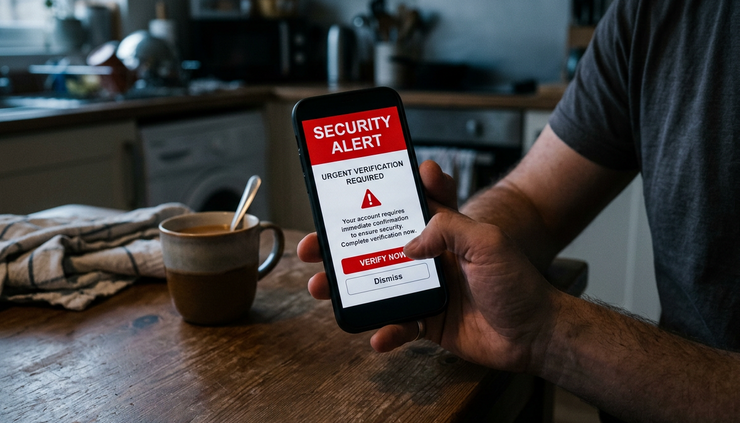
Why social engineering is so effective
Social engineering succeeds because it feels personal. A fake email might mention a recent order. A phone caller might know a colleague’s name. A text message might arrive at the exact moment a parcel is expected. The attacker does not need perfect information. They only need enough detail to make the target pause less and react more.
Most attacks use one or more psychological triggers.
Authority
People tend to comply when a message appears to come from a manager, bank, government department, IT team, or trusted supplier. Attackers use titles, logos, formal language, and confident instructions to create pressure.
Urgency
A message that says “your account will be closed today” or “payment must be sent within one hour” pushes the target into fast action. The attacker wants to shorten the gap between seeing the message and questioning it.
Fear
Warnings about fraud, legal action, payroll mistakes, data loss, or disciplinary action can make careful people panic. Fear narrows attention and makes risky instructions seem reasonable.
Curiosity
Unexpected attachments, private photos, confidential files, or “salary review” documents tempt people to click. Attackers know that curiosity can override caution.
Trust and familiarity
Messages from known brands, colleagues, suppliers, couriers, or cloud services can feel safe. A realistic sender name or copied email signature may be enough to lower suspicion.
Reciprocity and helpfulness
Many scams ask for a small favour first. “Can you check this file?” or “Can you confirm your number?” Once someone helps, the attacker may ask for more.
The most dangerous social engineering messages do not look wildly suspicious. They look ordinary enough to fit into a busy day.
This is why technical controls alone cannot solve the problem. Filters, authentication, endpoint protection, and monitoring all matter. Yet attackers still search for moments when a person is distracted, tired, rushed, or unsure.
A strong defence needs both technology and behaviour. Staff need permission to question unusual requests. Individuals need simple habits that slow down risky decisions. Businesses need processes that remove the need to trust a single message or caller.
Common social engineering techniques and how they work
Social engineering is not one single trick. It is a set of methods that attackers adapt to the target, the channel, and the goal. Some attacks aim to steal passwords. Others seek payment fraud, malware installation, confidential files, or access to internal systems.

Phishing tries to make a fake message feel real
Phishing is the best-known form of social engineering. It usually uses email, but the same idea appears in text messages, messaging apps, phone calls, and fake websites.
A phishing email might pretend to be from:
A bank or payment provider
A cloud storage service
A delivery company
A tax authority
A supplier sending an invoice
A workplace IT helpdesk
A senior manager
The message often includes a link to a fake login page or an attachment containing malware. The fake page may look close to the real one and ask for a username, password, one-time code, or card details.
A practical example is a fake Microsoft 365 sign-in page sent under the subject line “Mailbox storage full”. The email tells the target they will stop receiving messages unless they sign in. If the person enters their password, the attacker may use it to access email, reset other accounts, or send more phishing messages from the compromised mailbox.
Phishing has several variations.
Spear phishing
This targets a specific person or organisation. The attacker researches the target first, then uses relevant names, projects, suppliers, or internal language.
Whaling
This targets senior leaders or people with high-value access. The goal may be a payment approval, sensitive document, legal file, or account takeover.
Smishing
This uses SMS or messaging apps. Common themes include missed deliveries, bank alerts, parking fines, tax refunds, or account security warnings.
Vishing
This uses phone calls or voice messages. Attackers may pretend to be fraud teams, IT support, police, or service providers.
The warning signs vary, but the pattern is often the same. The message asks the target to act quickly, move outside normal process, or enter sensitive information somewhere unexpected.
Pretexting builds a false story
Pretexting is when an attacker invents a believable scenario to extract information or secure action. The pretext gives the victim a reason to trust the request.
For example, an attacker might call an employee and say they are from the company’s IT support partner. They claim there is a problem with remote access and ask the employee to confirm their username, approve a login prompt, or install a “support tool”.
The attacker’s story may include enough detail to sound credible:
The employee’s name and role
The organisation’s supplier names
A recent software rollout
A real manager’s name
A plausible ticket number
A common technical issue
Pretexting often feels less suspicious than a random phishing email because it is conversational. The attacker can adapt in real time. If the target hesitates, the attacker may reassure them, increase pressure, or switch tactics.
Pretexting is also common in payment fraud. A criminal may impersonate a supplier and claim their bank details have changed. If the finance team updates the payment record without independent verification, future payments can go to the attacker.
Baiting uses temptation
Baiting offers something attractive to get the target to act. The bait may be digital or physical.
Digital bait might include:
A free software download
A cracked licence key
A fake voucher
A document labelled confidential
A link to a private file
A fake prize notification
Physical bait can be as simple as a USB drive left in a car park, reception area, café, or shared workspace. The device might be labelled “Payroll”, “Photos”, or “Client list” to trigger curiosity. If someone plugs it into a computer, it may run malicious code or lead the user to a fake login page.
Baiting works because people often weigh the immediate reward more heavily than the hidden risk. A free tool, interesting file, or apparent mistake can make an unsafe action feel harmless.
Impersonation exploits familiar roles
Impersonation happens when an attacker pretends to be someone the target is likely to trust. This could be a colleague, manager, supplier, customer, courier, recruiter, IT technician, or public official.
In business settings, impersonation often appears as business email compromise. An attacker may compromise a real mailbox or create a lookalike domain. They then send messages that appear to come from a trusted person.
A common example is a message that appears to come from a managing director asking finance to pay a new supplier urgently. The request may include phrases such as “I am in a meeting” or “Do not call me now” to block normal verification.
In personal settings, impersonation might include a message from someone posing as a family member with a new phone number. The attacker asks for money urgently, often claiming they cannot call.
The best impersonation attacks feel ordinary. They copy tone, timing, and context. That is why verification must not rely only on whether a message “sounds right”.
Quid pro quo offers help in exchange for access
Quid pro quo attacks offer a service, favour, or benefit in return for information or access. The attacker may pretend to fix a technical problem, process a refund, or unlock an account.
A common example is a fake support call. The caller says they are contacting users about a known issue. They offer to fix it, then ask the person to install remote access software or read out a security code.
The victim believes they are receiving help. In reality, they are giving the attacker a route into their device or account.
Tailgating and piggybacking target physical access
Not all social engineering is digital. Tailgating happens when an attacker follows an authorised person into a restricted area. Piggybacking is similar, but the authorised person knowingly holds the door open, often out of politeness.
The attacker may carry boxes, pretend to have forgotten a pass, or act as if they belong. Once inside, they may look for unattended devices, network ports, printed documents, or opportunities to speak with staff.
This matters for businesses that handle sensitive data, shared buildings, warehouses, laboratories, healthcare sites, schools, and any location with restricted areas. Physical access can quickly become digital access.
What attackers want from social engineering
Cybercriminals use social engineering because it can open many doors at once. The immediate request may seem small, but the outcome can be serious.

Login credentials
Usernames and passwords remain valuable. If an attacker gains access to an email account, they may find invoices, contracts, password reset links, customer data, and internal conversations. They may also use the account to attack others.
Multi-factor authentication helps, but attackers now target that too. They may ask for one-time codes, send repeated approval prompts, or direct victims to fake login pages that capture credentials and session tokens.
Money and payments
Payment fraud is one of the clearest business risks. Attackers may impersonate executives, suppliers, landlords, contractors, or employees. They ask for urgent payments, bank detail changes, refunds, payroll changes, or gift card purchases.
The financial loss can happen quickly. Recovery may be difficult if the payment has moved through several accounts.
Confidential data
Attackers may seek customer records, employee data, contract details, intellectual property, financial reports, medical records, or legal documents. They may sell the information, use it for extortion, or exploit it for further attacks.
A single spreadsheet sent to the wrong person can create legal, financial, and reputational problems.
Device or network access
Some social engineering attacks aim to install malware. A fake invoice attachment, remote support tool, software update, or USB device can give attackers access to a machine. From there, they may steal data, move through the network, or prepare a ransomware attack.
Trust relationships
A compromised account is not only a technical asset. It is also a trusted identity. If an attacker sends messages from a real employee’s mailbox, recipients are more likely to respond. This turns one breach into many opportunities.
Practical examples of attacks in everyday life and business
Social engineering becomes easier to recognise when the examples feel familiar. The following scenarios show how normal situations can turn risky.
The fake delivery text
A person receives a text saying a parcel could not be delivered because a small fee is unpaid. The link opens a page that looks like a courier site and asks for card details.
The manipulation is simple. Many people expect deliveries, and the fee seems low. The attacker uses convenience and timing to reduce suspicion.
A safer response is to avoid the link and check the delivery through the courier’s official website or app. If there is no tracking number or the message arrived unexpectedly, treat it as suspicious.
The urgent invoice change
A finance team receives an email from a known supplier asking to update their bank account details. The email includes the supplier’s logo, a polite explanation, and an attached letter.
The manipulation relies on routine. Finance teams often process supplier changes, so the request does not feel unusual.
The safest process is independent verification using a trusted contact method already on file, not the phone number or email address in the request. A second person should approve changes to payment details.
The fake manager message
An employee receives a message that appears to come from a senior manager. The manager says they are travelling and need the employee to buy gift cards or make a confidential payment.
The manipulation uses authority, urgency, and secrecy. The attacker hopes the employee will not challenge a senior person.
A safer culture makes it normal to verify unusual requests. No employee should fear consequences for checking.
The IT support call
An attacker calls and says they are from IT. They claim the user’s account is causing errors and ask them to approve a login request or install remote access software.
The manipulation uses technical confidence. The victim may not understand the issue and may comply to avoid causing trouble.
The safe response is to end the call and contact IT through the official helpdesk route. Real support teams should expect this.
The shared file invitation
A user receives an email saying a document has been shared with them. The subject line mentions a contract, HR document, or invoice. The link leads to a fake login page.
The manipulation uses curiosity and routine. Shared documents are common, especially in organisations that use cloud tools.
A safer response is to open the file service directly through the browser or app, not through the email link. If the file is genuine, it should appear there.
The public Wi-Fi login trap
A person joins what looks like free Wi-Fi in a hotel, café, or station. The captive portal asks them to sign in with an email account or install a certificate.
The manipulation uses convenience. The person wants internet access quickly and may not question the prompt.
A safer approach is to confirm the network name with the venue, avoid sensitive logins on unknown networks, and use mobile data or a trusted VPN where appropriate.
How individuals and businesses can reduce the risk
Social engineering cannot be eliminated, but it can be made much harder to exploit. The aim is not to turn everyone into a security expert. The aim is to create habits, tools, and processes that catch mistakes before they become incidents.

Slow down high-risk moments
Most social engineering attacks depend on speed. Build a habit of pausing when a message asks for:
A password, passcode, or one-time code
A payment or bank detail change
Remote access to a device
Downloading software
Opening an unexpected attachment
Sharing confidential information
Keeping the request secret
Acting outside normal process
A short pause can break the attacker’s control. Even thirty seconds to re-read a message can reveal odd wording, mismatched links, unusual timing, or pressure tactics.
Verify through a separate channel
Verification only works when it uses a trusted route. Do not reply to the suspicious message. Do not call the number included in it. Do not use links from it.
Use a separate source instead:
A saved contact number
The official website typed into the browser
The company directory
An internal ticketing system
A known contact from previous records
An app already installed on the device
For payment changes, use a known phone number and speak to a real contact. For internal requests, use a different channel such as a phone call or secure messaging system.
Use multi-factor authentication carefully
Multi-factor authentication remains one of the best defences against account takeover. Yet users need to understand how to use it safely.
A person should never share one-time codes with callers, messages, or websites reached through suspicious links. If an unexpected approval prompt appears, they should deny it and report it.
Businesses should consider stronger authentication methods for sensitive accounts, such as hardware security keys or phishing-resistant sign-in options where suitable.
Keep software and devices updated
Updates close known security weaknesses. While social engineering targets people, many attacks still rely on malware, browser flaws, or outdated software after the first click.
Individuals should enable automatic updates for phones, computers, browsers, and apps. Businesses should maintain patch management for operating systems, applications, network devices, and security tools.
Train people with realistic examples
Generic warnings are easy to ignore. Training works better when it uses examples people actually face.
Good awareness training should cover:
How phishing looks in email, SMS, and messaging apps
How attackers use urgency and authority
How to check links and sender details
What to do with suspicious attachments
How to report concerns quickly
Why security checks protect staff as well as the organisation
Short, regular reminders often work better than rare, long sessions. Simulated phishing can help if used carefully. The goal should be learning, not embarrassment.
Build safer business processes
Businesses should assume that convincing fake messages will reach staff. Processes must be designed so one manipulated person cannot cause major harm alone.
Useful controls include:
Risk area | Safer process |
Supplier bank changes | Confirm using contact details already held on file and require a second approval |
Urgent payments | Set approval thresholds and block payment requests made only by email |
Password resets | Verify identity through approved helpdesk procedures |
Remote access | Use approved support tools and require user confirmation through official channels |
Sensitive data sharing | Use access controls, expiry dates, and approved file-sharing systems |
New starters | Teach verification habits during onboarding, not months later |
These controls should be clear and easy to follow. If the safe process is slow or confusing, people may work around it.
Limit access to what people need
Access control reduces damage when an account is compromised. Staff should only have access to systems and data needed for their role. Admin privileges should be restricted and reviewed.
Businesses should also remove access quickly when people change roles or leave. Old accounts are attractive targets because they may be forgotten but still trusted.
Monitor for unusual activity
Detection matters because not every attack will be stopped at the first stage. Organisations should look for signs such as:
Logins from unusual locations
Impossible travel alerts
Repeated failed login attempts
New forwarding rules in email accounts
Unexpected mailbox access
Large downloads or data transfers
New payment details added to supplier records
Unusual remote access sessions
Monitoring should connect to a clear response plan. Alerts are only useful if someone reviews them and knows what to do next.
Make reporting easy and blame-free
People often hesitate to report a mistake because they fear punishment. That delay helps attackers. A fast report can allow a password reset, account lock, payment recall attempt, malware isolation, or warning to other staff.
Businesses should give staff a simple reporting route, such as a security mailbox, helpdesk button, or internal hotline. They should also thank people who report suspicious messages, including false alarms.
For individuals, reporting may mean contacting the bank, changing passwords, notifying a service provider, or forwarding scam texts to the relevant reporting service where available.
Prepare an incident response plan
A social engineering incident can move quickly. Businesses should decide in advance who handles technical containment, legal concerns, customer communication, banking contacts, and internal updates.
A practical response plan should include:
How to contain a compromised account
How to reset credentials safely
How to preserve evidence
Who can approve urgent decisions
How to contact banks or payment providers
When to notify affected people or regulators
How to warn staff about related scams
The plan does not need to be complex to be useful. It needs to be known, tested, and available when email or systems are disrupted.
The human layer is part of cybersecurity
Cybercriminals exploit trust because trust is essential to normal life and work. People need to answer messages, help colleagues, pay suppliers, receive deliveries, and use online services. The answer is not suspicion of everything. The answer is healthy friction at the right moments.
A strong defence against social engineering combines clear judgement with practical safeguards. Pause when pressure appears. Verify through trusted channels. Protect accounts with strong authentication. Keep devices updated. Build business processes that do not depend on a single message being genuine.
For individuals, these habits reduce the chance of stolen accounts, financial loss, and identity misuse. For businesses, they protect money, data, operations, and reputation.
Social engineering turns manipulation into a cyber threat, but it also has a weakness. Once people know the pattern and processes support safer choices, the attacker’s most powerful tool begins to fail.


Comments