
The Human Factor in Cybersecurity

A strong password policy, updated antivirus software, and firewalls all matter. Yet many cybersecurity incidents still begin with a simple human action: someone clicks a link, reuses a password, trusts the wrong message, or works from an unsecured network.
That does not mean people are the “weakest link” in a negative sense. It means people are often the most targeted part of any system. Attackers know that humans are busy, distracted, helpful, curious, and sometimes under pressure. A technical defence may block thousands of threats, but one convincing email can still reach an inbox. One rushed decision can open the door.
For Astrid IT Lab, the message is clear: cybersecurity is not only a technical problem. It is a daily behaviour problem. The best security tools work far better when people know what risks look like and how to respond.
Cybersecurity Awareness gives employees, freelancers, students, and business owners the confidence to spot danger early. It turns security from an IT-only topic into a shared habit.
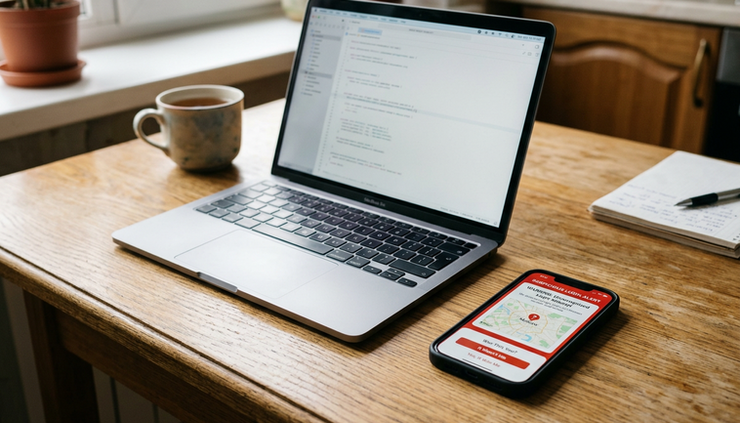
Human mistakes play a major role in cyber incidents
Cyber incidents rarely start with dramatic scenes from films. Most begin quietly. An email asks someone to “confirm their account”. A pop-up says a device is infected. A message from a manager seems urgent. A reused password appears in an old data breach. A public Wi-Fi network looks safe enough for a quick login.
These moments are small, but attackers build their methods around them.
Human mistakes contribute to cybersecurity incidents because people often work under conditions that make mistakes more likely:
Too many emails and notifications
Pressure to respond quickly
Similar-looking apps and login pages
Limited time to verify requests
Poor password habits built over years
Unclear rules about devices, files, and remote work
A desire to help colleagues, customers, or classmates
A mistake does not require carelessness. A well-trained, responsible person can still be caught by a convincing attack. That is why awareness matters. It helps people slow down at the right moment, question unusual requests, and follow safe routines even when the day is busy.
Security is a shared responsibility
Many organisations invest in technical controls such as multi-factor authentication, endpoint protection, spam filtering, secure backups, and access control. These tools are essential. Yet they are not enough on their own.
People still make choices that affect security:
Whether to open an attachment
Whether to approve a login prompt
Whether to report a strange email
Whether to use a personal device for work
Whether to save passwords in unsafe places
Whether to update software when prompted
A security-conscious culture does not expect everyone to become a cybersecurity expert. It teaches people to recognise common patterns, ask better questions, and report concerns without fear of blame.
For example, if an employee receives an invoice from a supplier with a new bank account number, the safest response is not to process it quickly. It is to verify the change through a trusted channel, such as a known phone number already on file. That one pause can prevent financial loss.
Phishing and social engineering target trust
Phishing is one of the most common ways attackers reach people. It uses emails, texts, calls, or messages that appear to come from a trusted source. The goal is usually to steal credentials, install malware, or trick someone into making a payment.
Phishing works because it copies normal communication. People expect messages from banks, delivery companies, universities, cloud services, colleagues, clients, and online platforms. Attackers take advantage of that familiarity.
Common phishing signs include:
Urgent language that pressures immediate action
Requests to confirm passwords or payment details
Links that do not match the sender or organisation
Unexpected attachments
Poor grammar or unusual wording, though many attacks are now well written
Messages sent from addresses that look almost correct
Offers that seem too good to be true
Threats of account closure, fines, or missed delivery
A phishing email may say that a Microsoft 365 account will be locked unless the user signs in within one hour. The link leads to a fake login page that looks convincing. Once the password is entered, the attacker can try to access email, files, contacts, and other services.
Text message phishing, also called smishing, can be just as effective. A message might claim that a parcel needs a small delivery fee. The amount seems harmless, but the website collects card details.
Social engineering goes beyond fake emails
Social engineering is the wider practice of manipulating people into doing something unsafe. It can happen by phone, message, email, or in person. The attacker studies how people behave and uses emotion to influence decisions.
Typical social engineering tactics include:
Authority
The attacker pretends to be a manager, lecturer, bank representative, IT technician, or government body.
Urgency
The message suggests there is no time to check.
Fear
The person is told their account, money, grades, or job may be at risk.
Curiosity
The attacker sends a file or link that looks interesting.
Helpfulness
The attacker asks for support in a way that feels reasonable.
Familiarity
The attacker uses names, roles, projects, or public information to sound legitimate.
A freelancer may receive a message from a “new client” with a project brief attached. The file may contain malware. A student may get a fake email about exam timetable changes. A small business owner may receive a call from someone claiming to be from their bank’s fraud department.
The best defence is a simple rule: verify before acting. If a request involves money, passwords, access, personal information, or urgent action, use a trusted method to confirm it. Do not rely on contact details inside the suspicious message.

Everyday habits can create hidden cybersecurity risks
Cybersecurity incidents do not always start with advanced attacks. Many begin with routine habits that feel harmless. Unsafe browsing, weak passwords, skipped updates, and casual file sharing can all create openings.
Unsafe browsing can lead to malware and stolen data
Unsafe browsing includes visiting unreliable websites, downloading unknown files, clicking misleading adverts, accepting unnecessary browser notifications, and entering information on pages that are not legitimate.
A common example is downloading free software from an unofficial site. The installer may include unwanted programmes, spyware, or browser extensions that track activity. Another example is clicking a fake “download” button on a page full of ads. The real download link may be small, while the malicious button is designed to attract attention.
Safe browsing habits include:
Check the address bar before entering login details.
Be careful with shortened links, especially in unexpected messages.
Avoid downloading software from unknown sources.
Use official app stores or trusted vendor websites.
Treat pop-ups claiming “your device is infected” as suspicious.
Do not allow browser notifications unless they are genuinely needed.
Keep browsers and extensions updated.
Remove extensions that are no longer used.
The padlock symbol in a browser shows that the connection is encrypted, but it does not prove the website is trustworthy. A fake website can still use encryption. The full web address matters.
Weak passwords make attacks easier
Passwords remain a major security problem because people often reuse them. If one website suffers a data breach and the same password is used elsewhere, attackers may try that password on email, banking, shopping, work tools, and cloud platforms.
Weak password habits include:
Reusing the same password across accounts
Using names, birthdays, pets, or favourite teams
Making small changes such as `Password1` to `Password2`
Saving passwords in notes apps or spreadsheets
Sharing passwords by email or chat
Using work passwords for personal accounts
A better approach is to use long, unique passwords for every account. A password manager can help by creating and storing strong passwords securely. This reduces the need to remember dozens of logins.
Multi-factor authentication, often called MFA, adds another layer of protection. It may use an app, code, biometric check, or security key. MFA is not perfect, but it can stop many account takeovers when a password has been stolen.
A practical password routine looks like this:
Use a password manager.
Create a unique password for each account.
Turn on MFA for email, banking, cloud storage, work tools, and social accounts.
Never approve MFA prompts that were not expected.
Change passwords immediately if an account may be compromised.
Avoid sharing accounts where possible.
Email deserves special attention. If an attacker gains access to an email account, they may reset passwords for other services. Protecting email with a strong password and MFA should be a priority.
Updates protect against known weaknesses
Software updates can feel inconvenient, especially when deadlines are close. Yet updates often fix security weaknesses that attackers already know about. Delaying them gives attackers more time to exploit older versions.
This applies to:
Operating systems
Web browsers
Mobile apps
Antivirus tools
Password managers
Router firmware
Plugins and extensions
Content management systems such as WordPress
For home users and small businesses, automatic updates are often the safest choice. For larger organisations, updates may need testing before release, but they should still be managed promptly.
A simple rule works well: if a device or app asks for a genuine security update, do not ignore it for weeks.
Remote work changes the security picture
Remote work has made life more flexible for many people. It has also changed how cybersecurity risks appear. Work now happens across homes, cafés, shared accommodation, co-working spaces, trains, and personal devices. That creates more points of exposure.
The risks are not limited to large businesses. Freelancers, students, and small companies face similar issues. A single compromised laptop can expose client files, coursework, invoices, saved passwords, or private messages.
Home networks are part of the defence
A home router is often the first gateway between personal devices and the internet. Many people set it up once and never look at it again. That can be risky if default passwords remain in place or if the router is old and unsupported.
Safe home network steps include:
Change the default router admin password.
Use strong Wi-Fi encryption, such as WPA2 or WPA3 where available.
Set a strong Wi-Fi password.
Keep router firmware updated.
Create a guest network for visitors and smart devices if the router supports it.
Replace very old routers that no longer receive updates.
Smart devices also matter. Cameras, speakers, TVs, doorbells, and connected appliances may collect data or connect to cloud services. They should have strong passwords and updates too. If a device no longer receives support, it may be safer to disconnect it.
Public Wi-Fi needs extra caution
Public Wi-Fi in cafés, hotels, libraries, airports, and trains can be convenient, but it is not always safe. Attackers may create lookalike networks with familiar names. They may also try to intercept activity on insecure connections.
Good public Wi-Fi habits include:
Avoid sensitive work on unknown networks.
Use mobile data when possible for banking or confidential tasks.
Use a trusted VPN if required by an organisation.
Confirm the correct network name with staff when needed.
Turn off automatic connection to open networks.
Do not share files with nearby devices.
Log out of services after use on shared or public devices.
Working in public spaces also creates visual risks. Someone nearby may see passwords, client details, student records, or financial information. A privacy screen can help, but awareness is still needed. Lock the screen when stepping away, even for a moment.
Personal devices need clear boundaries
Remote work often blurs the line between personal and professional use. The same laptop may be used for client work, streaming, online shopping, coursework, and family browsing. This can increase exposure to risky downloads, shared accounts, and accidental data loss.
Where possible, separate work and personal activity. If a dedicated work device is not available, use separate browser profiles, separate user accounts, and clear folder structures. Avoid letting family members use a device that stores work files or business credentials.
Cloud storage also needs care. Files can easily end up in the wrong folder or be shared with the wrong person. Before sharing a folder or document, check:
Who has access
Whether the link is public or private
Whether recipients can edit, download, or reshare
Whether access should expire after a project ends

Building a security-conscious mindset at work
A security-conscious workplace does not depend on fear. It depends on clear expectations, regular practice, and a culture where people feel safe reporting mistakes.
If people worry they will be blamed, they may hide incidents. That delay can make the damage worse. A fast report gives IT teams, managers, or service providers a better chance to reset credentials, block access, isolate devices, and warn others.
Make security simple and visible
People follow security rules more consistently when the rules are clear and practical. Long policies that nobody reads are less useful than short guidance that fits daily work.
Effective workplace habits include:
Give staff simple examples of phishing and social engineering.
Make reporting suspicious emails easy.
Use a clear process for payment changes and sensitive approvals.
Require MFA on important systems.
Limit access based on role.
Review access when staff change roles or leave.
Keep software and devices managed.
Back up critical data and test recovery.
Provide short refresher training throughout the year.
A useful security reminder might say: “If a message asks for payment, passwords, account changes, or urgent file access, verify it using a trusted channel.”
That is easier to remember than a long technical policy.
Train for real situations
Good training reflects the situations people actually face. A finance team may need extra guidance on invoice fraud. A customer support team may need to verify identities carefully. Students may need help spotting fake scholarship links or exam notices. Freelancers may need advice on client file sharing, contracts, and payment scams.
Practical training examples include:
Spotting a fake login page
Checking a sender address
Identifying suspicious attachments
Reporting a phishing message
Handling a lost phone or laptop
Confirming a bank detail change
Setting up MFA
Using a password manager
Sharing files safely
Short, regular learning works better than a single annual session. People remember habits through repetition.
Build a no-blame reporting culture
Mistakes happen. A person may click a link, open an attachment, or enter a password before realising something is wrong. What happens next matters.
A safe reporting culture tells people:
Report quickly, even if unsure.
Do not try to fix or hide the issue alone.
Disconnect from the network if told to do so.
Change passwords only from a trusted device.
Provide details without embarrassment.
Treat near misses as learning opportunities.
Managers and business owners set the tone. If they react with anger, people may stay silent next time. If they respond calmly and focus on recovery, security improves.
Protect sensitive information by default
Sensitive information includes more than financial records. It may include names, addresses, ID numbers, student records, client files, contracts, designs, medical information, staff details, and private messages.
Workplaces should apply basic data protection habits:
Store files only in approved locations.
Avoid sending sensitive files through personal email.
Use access controls rather than open links.
Remove access when it is no longer needed.
Use encryption where appropriate.
Check recipients before sending.
Keep only the data that is needed.
Dispose of old devices securely.
A common mistake is autocomplete in email. Someone types the first few letters of a name and sends a document to the wrong person. A quick check before pressing send can prevent a data breach.
Building safer habits at home and in daily life
Cybersecurity at home matters because personal accounts and work accounts often overlap. A compromised personal email can lead to identity theft. A stolen phone can expose work apps. A weak home Wi-Fi password can put multiple devices at risk.
The goal is not to live in fear. The goal is to build routines that reduce risk without making life difficult.
Use a personal security checklist
A simple personal checklist can make security easier:
Use a password manager for personal and work accounts.
Turn on MFA for important accounts.
Keep devices updated.
Back up important files.
Lock devices with PINs, passwords, or biometrics.
Review app permissions.
Remove apps and browser extensions that are no longer used.
Be cautious with QR codes in public places.
Do not share one login across several people.
Check privacy and recovery settings on key accounts.
Account recovery settings are often overlooked. If an old email address or phone number remains linked to an account, recovery may fail when urgently needed. Keep recovery details current.
Treat unexpected messages with care
Most people receive suspicious messages regularly. The safest habit is to pause before clicking.
Ask these questions:
Was this message expected?
Does the sender address or number look right?
Is the message pushing urgency or fear?
Does it ask for money, passwords, codes, or personal details?
Is the link leading to the correct website?
Can this be verified another way?
If a delivery message arrives, go directly to the delivery company’s official website rather than using the link. If a bank calls, hang up and call the number on the card or official website. If a lecturer, client, or manager sends an unusual request, confirm through a known channel.
Secure devices before they are lost
Phones and laptops get lost or stolen. Security steps taken in advance can reduce the damage.
Useful protections include:
Screen locks
Device encryption
Remote wipe features
Backups
MFA
Strong account recovery settings
Avoiding saved passwords in unprotected browsers
Not storing sensitive files locally unless needed
A student who loses a laptop during travel may still recover coursework from a secure cloud backup. A freelancer who uses device encryption and remote wipe can reduce the risk of client files being exposed. A business owner with MFA enabled can make it harder for a stolen password to become a full account takeover.
Be careful with shared devices
Shared family computers, public library machines, and borrowed laptops carry extra risk. Avoid logging in to sensitive accounts on devices that are not controlled or trusted.
If using a shared device cannot be avoided:
Use private browsing where suitable.
Do not save passwords.
Log out fully.
Clear downloads if files were saved.
Avoid accessing highly sensitive systems.
Change the password later from a trusted device if there is any concern.
Personal convenience should not override account safety.

Practical examples of human-centred cybersecurity
Realistic examples make cybersecurity easier to apply. The following situations show how small choices can either increase or reduce risk.
The urgent invoice request
A small business receives an email from a supplier asking for payment to a new bank account. The email uses the supplier’s logo and refers to a real project.
A risky response would be to update the details and pay immediately.
A safer response is to call the supplier using a known number already saved in records. If the change is real, it can be confirmed. If it is fraud, the business avoids a costly mistake.
The fake cloud login page
An employee receives a file-sharing link that asks them to sign in. The page looks familiar, but the web address is slightly wrong.
A risky response is to enter the password because the page design looks correct.
A safer response is to close the page, open the official cloud service directly in the browser, and check whether the file is available there. The employee can also report the message to IT.
The public Wi-Fi shortcut
A freelancer works in a café and connects to open Wi-Fi. A client portal needs login details.
A risky response is to log in without checking the network or using protection.
A safer response is to use mobile data or a trusted VPN, avoid sensitive work on unknown networks, and make sure MFA is enabled on the client portal.
The password reuse problem
A student uses the same password for email, shopping, streaming, and a learning platform. One of those services is breached.
A risky response is to ignore the warning because “nothing bad has happened yet”.
A safer response is to change reused passwords, set unique passwords through a password manager, and enable MFA on the email account first.
The unexpected MFA prompt
A worker receives an MFA approval notification on their phone even though they are not signing in.
A risky response is to approve it to make the notification go away.
A safer response is to deny the request, change the account password from a trusted device, and report the incident. Unexpected MFA prompts can mean someone already has the password.
Actionable recommendations for stronger everyday security
The strongest cybersecurity habits are often simple. They work because they are repeated consistently.
For individuals
Start with the accounts and devices that matter most.
Protect your main email account with a unique password and MFA.
Use a password manager.
Update phones, laptops, browsers, and apps.
Back up important files.
Review account recovery settings.
Avoid clicking links in unexpected messages.
Use mobile data instead of unknown public Wi-Fi for sensitive tasks.
Lock screens when stepping away.
Report suspicious activity quickly.
For teams and small businesses
Focus on reducing the most common risks first.
Require MFA for email, cloud storage, finance tools, and admin accounts.
Create a clear process for reporting suspicious messages.
Verify payment changes through trusted channels.
Train staff with realistic examples.
Keep devices and software updated.
Limit access to what each person needs.
Back up data and test restores.
Use managed devices where possible.
Keep an asset list of laptops, phones, software, and accounts.
Remove access when people leave.
For freelancers
Freelancers often manage their own security without an IT department. That makes habits even more important.
Separate client files by folder and access permissions.
Use contracts and secure channels for file exchange.
Check new client attachments carefully.
Protect invoices and payment details.
Use MFA on accounting, email, and cloud tools.
Back up client work securely.
Avoid mixing client passwords, files, and messages.
Keep personal and work browsing separate where possible.
For students
Students often handle personal data, coursework, research files, and payment information across many platforms.
Use unique passwords for university or college accounts.
Be cautious with fake scholarship, grant, and exam messages.
Back up coursework in more than one secure place.
Do not share login details with friends.
Protect devices used in shared accommodation.
Check links before signing in to learning platforms.
Report suspicious messages to the institution’s IT support team.
Awareness is effective because it changes behaviour
Security tools block many threats, but awareness changes the behaviour attackers try to exploit. When people learn to pause, check, and report, the risk drops across the whole environment.
Awareness is effective because it:
Reduces impulsive clicking
Improves password choices
Encourages faster reporting
Makes scams easier to spot
Supports safer remote work
Protects both personal and workplace accounts
Helps technical controls work as intended
The best results come when awareness is practical. People need examples they recognise, not abstract warnings. They need short guidance they can follow during a busy day. They need systems that make the secure action easier than the risky one.
Cybersecurity is built through repeated choices. One careful check before clicking a link. One verified phone call before changing bank details. One password manager instead of reused passwords. One report sent quickly after a suspicious message.
Technology matters, but people make the daily decisions that protect accounts, data, and trust. When awareness becomes a normal habit at home, at work, and on the move, cybersecurity becomes stronger for everyone.


Comments